

By Avery Chen, Tech Reviewer
Microsoft’s Surface Pro lineup has long been a benchmark for 2-in-1 devices, blending laptop power with tablet portability. The 2025 Surface Pro 12-inch takes a bold shift, prioritizing a compact, adorable design over raw performance. While its sleek form factor and vibrant display make it a joy to carry, it sacrifices some of the muscle found in its larger siblings. After extensive testing, we’ve found the Surface Pro 12-inch to be a delightful yet compromised device. Here’s our in-depth review of its design, performance, and whether it’s worth your investment in 2025.
Pros and Cons
Pros:
- Ultra-portable, lightweight design.
- Stunning 12-inch PixelSense touchscreen.
- Solid build quality with versatile kickstand.
- Excellent stylus support for creatives.
Cons:
- Underwhelming performance for demanding tasks.
- Limited port selection.
- Battery life falls short of competitors.
- Pricey for its specs.
Design and Hardware
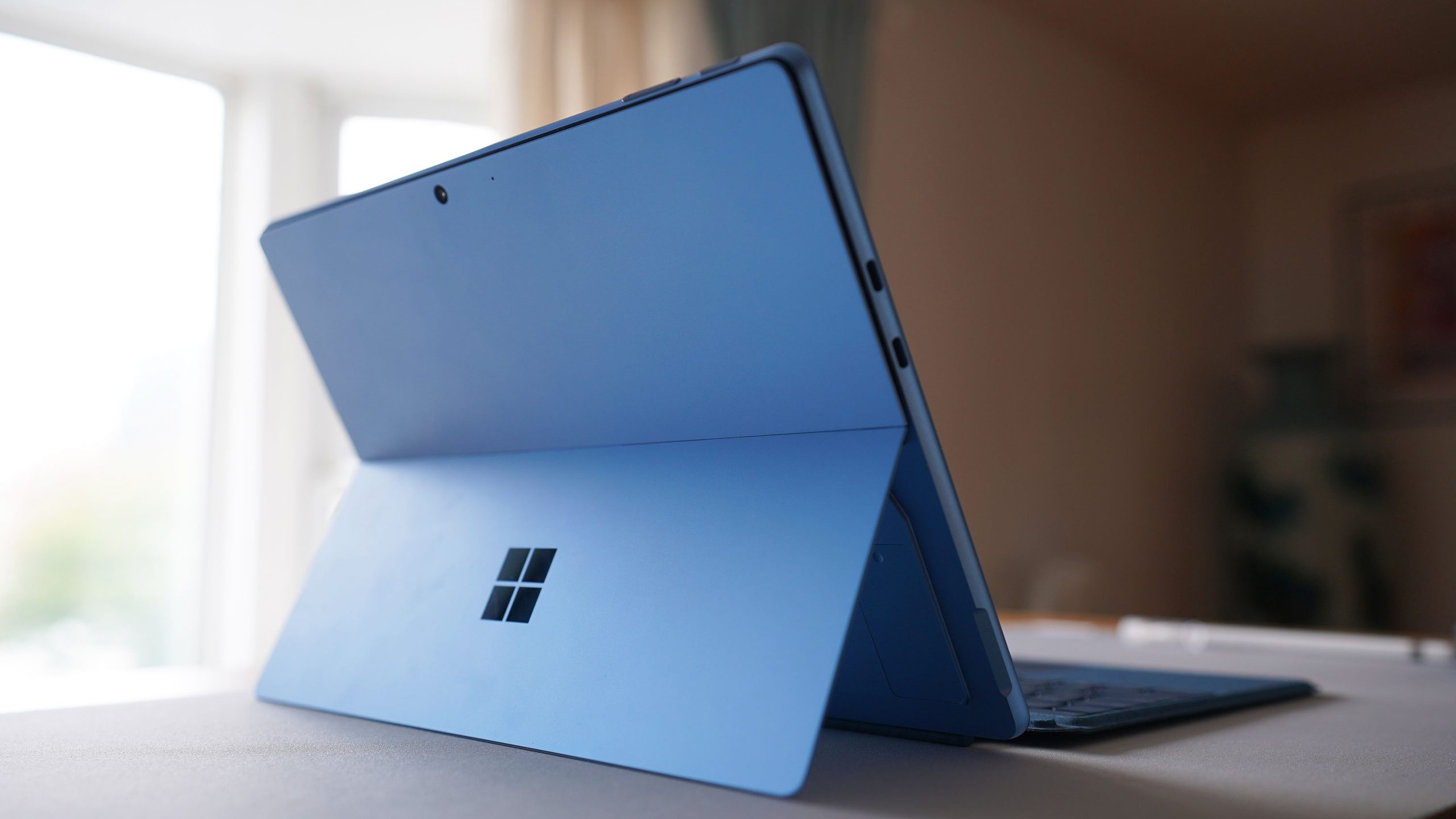
The Surface Pro 12-inch is a masterclass in compact design, weighing just 1.7 pounds and measuring 0.33 inches thick. Its magnesium alloy chassis feels premium, and the signature kickstand offers flexible viewing angles for work or media. The 12-inch PixelSense display (2560×1600 resolution) is sharp and vibrant, with a 120Hz refresh rate for smooth scrolling and animations. The touchscreen supports the Surface Slim Pen 2, making it a dream for note-taking or sketching.
However, compromises are evident. The device features only one USB-C port (Thunderbolt 4) and a Surface Connect port, limiting connectivity without a dock. The keyboard cover (sold separately) is comfortable but cramped for long typing sessions. Available in Platinum and Sapphire, the Surface Pro 12-inch is undeniably cute but feels less versatile than its 13-inch predecessor.
Hardware options include Intel’s Core Ultra 5 or 7 processors (Series 2), with 8GB to 16GB of RAM and 256GB to 1TB SSD storage. The base model’s 8GB RAM feels restrictive for multitasking, and the lack of a dedicated GPU limits graphics performance. It’s clear Microsoft prioritized portability over power, targeting casual users over professionals.
Performance
The Surface Pro 12-inch handles everyday tasks—web browsing, document editing, and streaming—with ease, thanks to Intel’s Core Ultra processors. In our tests, the Core Ultra 5 with 8GB RAM managed light productivity apps like Microsoft Office and Zoom without hiccups. However, heavier workloads, such as video editing or running multiple apps, caused noticeable slowdowns. The Core Ultra 7 with 16GB RAM fares better but still lags behind competitors like the MacBook Air M3 or larger Surface models.
For casual gaming, the integrated Intel Arc graphics can handle light titles like Stardew Valley or Among Us, but demanding games like Cyberpunk 2077 are unplayable without significant tweaks. Thermals are well-managed, with minimal fan noise, but the device warms up during extended use. Compared to the 13-inch Surface Pro, the 12-inch model feels like a downgrade in power, making it less suited for creative professionals or power users.
Battery Life
Battery life is a weak point. Microsoft claims up to 14 hours, but real-world testing yielded about 8–10 hours for mixed use (browsing, streaming, and productivity). Heavy tasks like video calls or editing drained the battery faster, often requiring a recharge by early afternoon. Competitors like the iPad Pro (12.9-inch) or Dell XPS 13 offer longer endurance, making the Surface Pro 12-inch less ideal for all-day use without a charger. Fast charging via USB-C or Surface Connect helps, reaching 50% in about 30 minutes.
Software Experience
Running Windows 11, the Surface Pro 12-inch delivers a familiar, versatile experience optimized for both tablet and laptop modes. The touch interface is responsive, and Windows’ tablet mode makes navigation intuitive, especially with the stylus. Pre-installed apps like Microsoft Edge and Office work seamlessly, and the device supports a wide range of software, from creative tools like Adobe Photoshop to productivity suites.
However, Windows 11’s tablet mode still feels less polished than iPadOS, with occasional clunky transitions between apps. The included Copilot AI assistant is helpful for quick queries or task automation, but it’s not a game-changer. Bloatware is minimal, and updates are smooth, ensuring a clean experience for most users.
Final Thoughts
The Microsoft Surface Pro 12-inch is a charming, ultra-portable 2-in-1 that shines for casual users, students, or creatives who value portability and stylus support. Its gorgeous display and sleek design make it a joy to use, but its limited performance, short battery life, and sparse ports hold it back from greatness. Priced starting at ~$999, it’s a tough sell against more powerful alternatives like the Surface Pro 13-inch or MacBook Air M3. If you prioritize cuteness and portability over raw power, this device is a solid pick—just don’t expect it to replace a full-fledged laptop. Ready to explore more options? Check out our guide to the best laptops for 2025 or follow our social channels for the latest tech reviews!
